How to Reactivate a Grubhub Driver Account
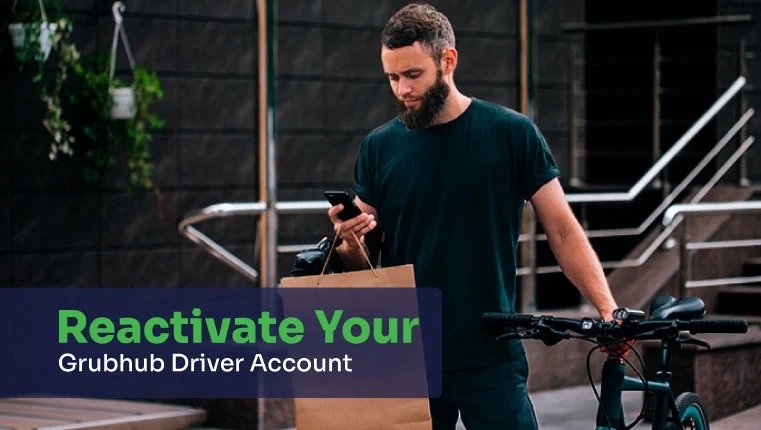
If your Grubhub driver account was deactivated, you can file a Grubhub appeal to ask for reactivation. If a background check error caused the deactivation, you also have rights under federal law. This guide explains why Grubhub deactivates driver accounts, how the appeal process works, and who to contact if a background check mistake cost you your account.
For some people, Grubhub is a guilty pleasure after work and on the weekends, or when they’re just plain tired of cooking. For others, Grubhub is much more than that — it’s a career and how they earn a living. You may even rely on your Grubhub driver account to take care of your family. When your income and your family’s welfare are on the line, a message that your account has been deactivated isn’t just upsetting. It’s devastating.
Our consumer protection attorneys have experience filing lawsuits against background check companies hired by Grubhub.
Why Was My Grubhub Driver Account Deactivated?
Your Grubhub account could have been deactivated for not having the right documents or for something more serious, like a policy violation. Below are some reasons why Grubhub deactivates driver accounts:
- Failure to meet requirements: If you do not maintain the identification, registration, or insurance documents Grubhub requires, your account can be deactivated.
- Violating policies: Misusing the platform can lead to deactivation. That includes lying about your location or delivery progress, uploading incorrect drop-off photos, or falsely marking restaurants as closed.
- Three violations in 90 days: If you get three account violations within a rolling 90-day period, Grubhub will deactivate your account. Violations expire and are removed from your account after 90 days.
- Breaching a contract: Serious misconduct, such as fraud, theft, or endangering the safety of customers or merchants, can result in immediate deactivation.
- Limited availability: In some markets, Grubhub may deactivate or limit your ability to make deliveries because there aren’t enough available opportunities in the area.
- Failing a background screening: Grubhub uses outside companies to run background checks on drivers. If a report doesn’t meet Grubhub driver safety policies, the account can be deactivated, even when the report itself contains an error.
If you’ve worked for Grubhub as a driver and failed a background check, it may not be your fault. Background check companies used by Grubhub sometimes make mistakes that lead to deactivation. Keep reading to learn your rights and how to dispute background check errors in your Grubhub background report.
How Long Does it Take to Reactivate a Grubhub Account?
The time to reactivate your Grubhub driver account can vary. Typically, reactivation can take anywhere from a couple of days to several months.
What Can I Do if My Grubhub Account Was Deactivated?
You have options if your Grubhub account was deactivated. If you want to continue working for Grubhub, you can appeal the decision. If the problem is an error in your background check, you will also need to take a different route.
How to File a Grubhub Deactivation Appeal
Grubhub’s Delivery Partner Deactivation Policy says drivers receive notice of any deactivation. That notice is your starting point. A strong appeal answers the specific reason Grubhub gave and backs it up with evidence.
- Read the deactivation notice. Check the Grubhub for Drivers app and your email. Note the exact reason, such as account violations, a document issue, or a background check result.
- Gather evidence that matches the reason. For account violations, save screenshots of the order history, delivery photos, route details, and messages with customers or restaurants. For document issues, get a current driver’s license, registration, and insurance. For a background check, request a copy of the report and any court records that show it is wrong.
- Submit the Grubhub appeal form. Open the Grubhub driver support page, select Delivery Partners Request Form, and use the same email address that is linked to your driver account. Under Select a topic, choose Deactivation Appeals. Write a clear subject such as “Appeal of account deactivation,” and in the details field explain what happened, why the decision is wrong, and what your evidence shows. Upload your documents in the Attachments field before you submit.
- Appeal as soon as possible. The time you have to appeal can depend on your market, so don’t wait.
- Keep a record and follow up. Save a copy of the appeal, the date you sent it, and every reply. Follow up through the driver app if you don’t hear back.
Contact Grubhub
If you need more information after you appeal, contact Grubhub driver support through the Grubhub for Drivers app, or reply to the support ticket created by your appeal so every message stays in one place.
What If Your Grubhub Appeal Is Denied?
If the deactivation was based on account violations or documents, you can submit a new request with any additional evidence you didn’t include the first time. If it was based on a background check, Grubhub’s appeal process is not the only option. The error comes from the screening company, and under the Fair Credit Reporting Act you can dispute the report with that company directly. If the error cost you income, you may also have a claim against it.
Contact a Consumer Protection Attorney
If you’ve appealed a deactivation caused by a background check error and contacted Grubhub but still haven’t received the help you need, contact our firm. A background check lawyer will review your situation and help you determine the best next step.
Frequently Asked Questions
Yes. Grubhub’s Delivery Partner Deactivation Policy says drivers receive notice of any deactivation, usually through the Grubhub for Drivers app and by email. If the decision was based on a background check, federal law generally also entitles you to a copy of the report and a summary of your rights under the Fair Credit Reporting Act. Keep that notice, because your appeal should answer the exact reason it gives.
Not necessarily. A corrected report doesn’t reach Grubhub on its own. Once the screening company fixes the error, send the corrected report to Grubhub through the driver support form under Deactivation Appeals and ask for your account to be reviewed again. Keep copies of the corrected report and the screening company’s written dispute results.
Yes, it can. Many delivery and rideshare apps use the same background check companies, so an error in your file may show up when another platform screens you. Disputing the error with the screening company fixes it at the source, not just for Grubhub. That is why it’s worth disputing even if you don’t plan to go back to Grubhub.
Not for the appeal itself. You can file it through Grubhub’s driver support form on your own. A lawyer becomes useful when a background check error caused the deactivation, the screening company won’t fix it, or you lost income because of it. Consumer Attorneys handles these FCRA cases with no out-of-pocket cost to you.


Daniel Cohen is the Founder of Consumer Attorneys. Daniel manages the firm’s branding, marketing, client intake and business development efforts. Since 2017, he is a member of the National Association of Consumer Advocates and the National Consumer Law Center. Mr. Cohen is a nationally-recognized practitioner of consumer protection law. He has a we... Read more


Related Articles
R
ONGS™